
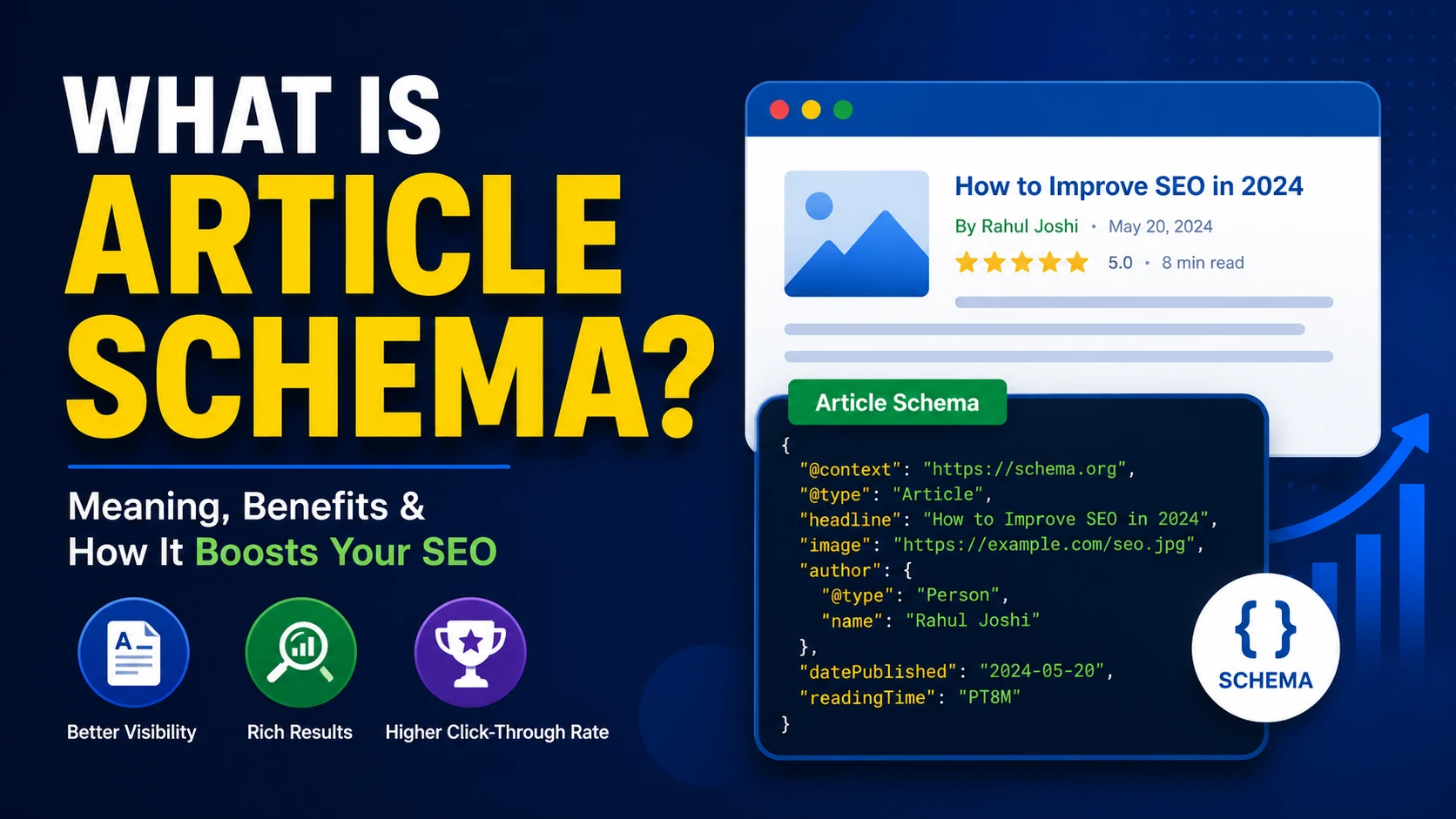
What is Article Schema? Complete Guide to Add Article Schema Markup for SEO
If you are into blogging or SEO, you must have heard the word “schema” many times. And if you write articles or blog posts, then article schema is one thing you should know about. In this post, I am going to explain everything about what is article schema, why it is important for your website, and how you can add it in a simple way.
I have used article schema on my own blog and I have seen good results with it. So I thought to write a complete guide on this topic so that beginners can also understand it without any confusion.
What is Schema Markup First?
Before I tell you about article schema, let me explain what is schema markup in simple words. Schema markup is a type of code that we add to our website. This code is not visible to normal visitors, but search engines like Google can read it very easily.
Schema markup is basically a language that we use to talk to search engines. It tells Google what is on our page, in a way that a machine can understand. For example, if you have written a recipe, schema markup will tell Google “this is a recipe, this is the cooking time, this is the rating.” Same way, if you have written an article, article schema tells Google “this is an article, this is the headline, this is the author, this is the date it was published.”
All this structured data comes from a project called Schema.org, which was created together by Google, Bing, Yahoo and Yandex. They made this so that every search engine can understand the same type of code in the same way.
What is Article Schema
Now coming to the main topic. Article schema is a type of structured data markup that we use on blog posts, news articles and other written content. It helps search engines to understand that a particular page is an article, and it also gives extra details like the headline, image, author name, publish date and modified date.
In simple words, article schema is like a small form that we fill and give to Google. In this form we write all the important details about our article, so Google does not have to guess anything.
When you add article schema correctly, your article can become eligible to show up as a rich result in Google search. Sometimes you can see a big image with the article, or the author name and date directly in the search result. This looks more attractive and people click on it more.
I always tell people that article schema is not a ranking factor by itself, but it helps Google to understand your content better. And when Google understands your content better, there are more chances it will rank you correctly for the right keywords.
Why Article Schema is Important for SEO
Many beginners ask me why should they waste time in adding schema when they can just write good content. I always say, good content is the base, but schema is the icing on the cake. Let me tell you some reasons why article schema is important.
1. It Helps Google Understand Your Content
Google bots read your page code, but sometimes they cannot understand everything correctly just by reading normal HTML. Article schema gives clear information in a structured format, so there is no confusion for Google.
2. It Can Get You Rich Results
With proper article schema, your post can appear with extra features in the search result, like a bigger image, author name or published date. This is called rich snippet or rich result. You must have seen these Rich results in Google when you search any news or blog topic. You can read more about it on Google’s official documentation on Article structured data.
3. Higher Click Through Rate
When your search result looks more attractive with image and extra details, more people click on it. This directly increases your CTR, which is a good signal for SEO in long run.
4. Helps in Google Discover
If your website gets good traffic from Google Discover, then article schema plays a big role there too. Google Discover picks content mostly based on structured data and content quality, so if you have proper article schema, your chances of appearing on Discover feed increases.
5. Better for Voice Search and AI Search
These days many people search using voice assistants, and now AI search results are also becoming common. When your content has proper structured data, it becomes easy for these systems to pick the correct information from your page and show it to users.
Types of Article Schema
Many people think there is only one type of article schema, but actually there are three main types under Schema.org. I am telling you all three below.
1. Article
This is the general type of schema. You can use it for any kind of written content on your blog, like how to guides, listicles, opinion pieces etc.
2. NewsArticle
If your website publishes breaking news or time sensitive content, then you should use NewsArticle schema. This type is mainly used by news publishers and it also helps in showing content in Google News and Top Stories carousel.
3. BlogPosting
This is the type mostly used by bloggers like me. If you run a personal blog or a niche website and you publish blog posts regularly, then BlogPosting is the correct schema type for you.
All three of these are actually sub types of the main “Article” schema, so they share many common properties. You can check the full list of properties on the official Schema.org Article page.
Important Properties of Article Schema
Now let me tell you about the main properties that you should include when you add article schema on your website. These properties are like the fields in a form which I talked about earlier.
- headline – This is the title of your article. Try to keep it under 110 characters, because Google can cut it if it is too long.
- image – You should add a high quality image here. Google recommends multiple image sizes for better compatibility.
- datePublished – The date when you first published the article.
- dateModified – The date when you last updated the article. This is very important, because Google gives value to fresh and updated content.
- author – Name of the person who wrote the article. You can also add author type, like Person or Organization.
- publisher – Name and logo of your website or brand.
- mainEntityOfPage – This tells Google which URL is the main page for this content.
- description – A short summary of what your article is about.
If you fill these properties correctly, your article schema will be strong and Google will have no problem reading it.
How Does Google Use Article Schema
I want to clear one more doubt that many beginners have. They think that if they add article schema, Google will start ranking them number one. This is not true at all.
Article schema does not directly increase your ranking. What it does is, it helps Google to read and understand your page in a better way. It also makes your page eligible for some extra features in search results, like rich snippets.
Think of it like this. If you go to a shop and everything is arranged nicely with labels, you will find things faster. Same way, when your website has proper article schema, Google can find and understand your content faster and with less confusion.
So the real benefit of article schema is indirect. Better understanding by Google, better chances of rich results, better click through rate, and all these things together can help your SEO in a good way.
How to Add Article Schema on Your Website?
There are multiple ways to add article schema on your website. I am going to explain the easy methods below, so even a beginner can do it.
Method 1: Using JSON-LD Code Manually
JSON-LD is the format that Google recommends the most for adding schema. It is a piece of code that you add inside the head section of your page, or you can also add it in the body.
Here is a simple example of article schema in JSON-LD format:
{
“@context”: “https://schema.org”,
“@type”: “BlogPosting”,
“headline”: “What is Article Schema? Complete Guide”,
“image”: “https://rahuljoshiseo.com/images/article-schema.jpg”,
“author”: {
“@type”: “Person”,
“name”: “Rahul Joshi”
},
“publisher”: {
“@type”: “Organization”,
“name”: “Rahul Joshi SEO”,
“logo”: {
“@type”: “ImageObject”,
“url”: “https://rahuljoshiseo.com/logo.png”
}
},
“datePublished”: “2026-08-15”,
“dateModified”: “2026-08-15”,
“mainEntityOfPage”: {
“@type”: “WebPage”,
“@id”: “https://rahuljoshiseo.com/what-is-article-schema/”
}
}
You can copy this code and change the details according to your own article. Just make sure you update headline, image, author, dates and URL correctly.
Method 2: Using WordPress SEO Plugins
If you are not comfortable with code, don’t worry. Most WordPress SEO plugins can add article schema automatically for you.
- Rank Math SEO – This plugin has a very easy schema generator. You can select Article type and it will add all the fields for you.
- Yoast SEO – Yoast also adds article schema automatically on your blog posts, though the customisation is a bit limited compared to Rank Math.
- All in One SEO – This is another good plugin that supports schema markup including article schema.
I personally use Rank Math on my websites because it gives more control on schema types and properties.
Method 3: Using Free Schema Generator Tools
If you don’t use WordPress, or you want to quickly generate the code, you can use free online tools. One good option is the Merkle Schema Markup Generator, where you select “Article” and fill the form, and it gives you ready JSON-LD code.
How to Test Your Article Schema
After adding article schema, it is very important to test it, so you know it is working correctly without any errors.
Google has an official free tool for this, called the Rich Results Test. You just need to paste your URL or code, and it will tell you if your article schema is valid or if there is any error or warning.
I always recommend testing your schema after every update, because sometimes a small mistake, like a wrong date format, can cause the whole schema to fail.
You can also use the Schema Markup Validator to double check your code against the official Schema.org standards.
Common Mistakes People Make with Article Schema
I have seen many websites making some common mistakes while adding article schema. I am listing them below so you can avoid these mistakes.
- Not updating dateModified – Many people add the schema once and forget to update the dateModified property when they edit the article later.
- Using low quality images – Google has minimum image size requirements. If your image is too small, your schema might not get rich result eligibility.
- Missing author information – Some websites don’t add author name properly, which can reduce trust signal, specially after Google’s focus on E-E-A-T.
- Wrong schema type – Some people use Article schema for pages which are not really articles, like product pages or contact pages. This confuses Google.
- Copy pasting same schema on every page – Some website owners copy the same schema code on all pages without changing the headline, image or dates. This is a big mistake and can even hurt your SEO.
- Not testing the schema – Adding schema and not testing it is like sending a letter without checking the address. Always test before you finalise.
Article Schema and E-E-A-T
Google has been talking a lot about E-E-A-T, which means Experience, Expertise, Authoritativeness and Trustworthiness. Article schema plays a small but important role here too.
When you add proper author information in your schema, along with author bio and social profiles, it helps Google understand who is behind the content. This builds trust, specially for topics related to health, finance or law, which Google calls YMYL (Your Money Your Life) topics.
Do you know EEAT is NOT a Ranking Factor? Google said so.. watch this video and see your self
So if you are writing on such topics, make sure your article schema has complete and correct author details.
Difference Between Article Schema and Other Schema Types
Sometimes beginners get confused between article schema and other schema types like BlogPosting, WebPage or CreativeWork. Let me clear this confusion in simple words.
- WebPage schema – This is used for any general page on your website, not specifically for articles.
- CreativeWork schema – This is a very broad type, and Article is actually a child type under CreativeWork.
- Article schema – This is specifically for articles, news, or blog posts, and it has properties like headline, author and datePublished which WebPage schema does not focus on.
So if your page is a blog post or article, always go with Article, NewsArticle or BlogPosting schema instead of just a general WebPage schema.
Does Article Schema Guarantee Rich Results
This is a very common question, so let me answer it clearly. No, adding article schema does not guarantee that Google will show your rich result. Google looks at many other factors too, like content quality, page experience, and overall website authority.
Think of article schema as an invitation card. You are inviting Google to consider your page for rich results, but the final decision is still with Google. So along with schema, you should also focus on good content, fast loading website, and mobile friendly design.
Adding Article Schema on Other Platforms
I know not everyone uses WordPress. So let me quickly tell you how you can add article schema on other platforms too.
Blogger
Blogger does not give a direct option to add article schema, but you can edit your theme HTML and add the JSON-LD code manually inside your post template. It needs a little technical work, but once you do it correctly on the template, it will work for all your future posts too.
Shopify
Shopify blog posts can also have article schema. You can add the JSON-LD code in your theme.liquid file, or use a schema markup app from the Shopify app store if you don’t want to touch the code.
Wix and Squarespace
Both these platforms have some built in SEO settings, but the control over schema is limited. You can still add custom code in the header section of your post, if your plan allows custom code.
Custom Coded Websites
If your website is custom coded, like in HTML, PHP, React or any other framework, you just need to add the same JSON-LD script inside the head tag of your article page, and update the values dynamically according to each post.
My Personal Experience with Article Schema
When I started my blogging journey, I did not know much about schema markup. I used to think content is the only thing that matters, and honestly, content is very important, but I was missing out on this small technical part.
Once I started adding proper article schema on my blog posts, I noticed my listings started looking a bit different in Google search, with author name and updated date showing up. It also helped Google Discover pick some of my articles, which brought good amount of traffic.
I am not saying this will happen overnight for everyone, but it is definitely a good practice that every blogger and website owner should follow. It takes very less time once you set it up, and the benefit stays for long term.
Quick Checklist Before You Publish
Before you hit publish on your next article, here is a small checklist you can follow related to article schema:
- Check if headline is added correctly and matches your actual title
- Add a high quality featured image with correct dimensions
- Fill author name properly, with author page link if possible
- Add correct datePublished and update dateModified whenever you edit the post
- Add publisher name and logo details
- Test the schema using Google Rich Results Test before final publish
- Make sure you are using the correct type, Article, NewsArticle or BlogPosting, according to your content
If you follow this checklist every time, you will not face any big problem with your article schema in future.
FAQs on Article Schema
Article schema is a code that we add to our blog post or article, so that Google and other search engines can understand important details like headline, author, image and publish date in a structured way.
It is not compulsory, but it is highly recommended. It helps search engines understand your content better and can improve your chances of getting rich results in search.
Rank Math SEO and Yoast SEO both are good options. I personally prefer Rank Math because of its easy schema generator.
Yes, you can add it manually using JSON-LD code in the head section of your webpage. I have shared an example code above in this article.
BlogPosting is a sub type of Article schema. If you run a blog, you can use BlogPosting, and if it is more of a general article or news, you can use Article or NewsArticle.
You can use Google’s free Rich Results Test tool to check if your schema is valid and working correctly.
Final Words
So this was my complete guide on what is article schema and how you can add it on your website. I tried to explain everything in simple words so that even a beginner can understand it without any confusion.
Article schema alone will not make your website rank on top, but it is one small piece of the big SEO puzzle. When you combine good content, proper on page SEO, and correct schema markup, your website has better chances to perform well in search.
I keep sharing these type of SEO tips on my website, so keep visiting Rahul Joshi SEO for more helpful guides like this.
Also, if you want more SEO ideas and tutorials in video format, you can visit my YouTube channel here: Rahul Joshi SEO on YouTube. I regularly post videos on schema markup, on page SEO, keyword research and other SEO topics over there.
If you have any doubt regarding article schema, feel free to write in the comments, I will try to help you out.
Also Read: