
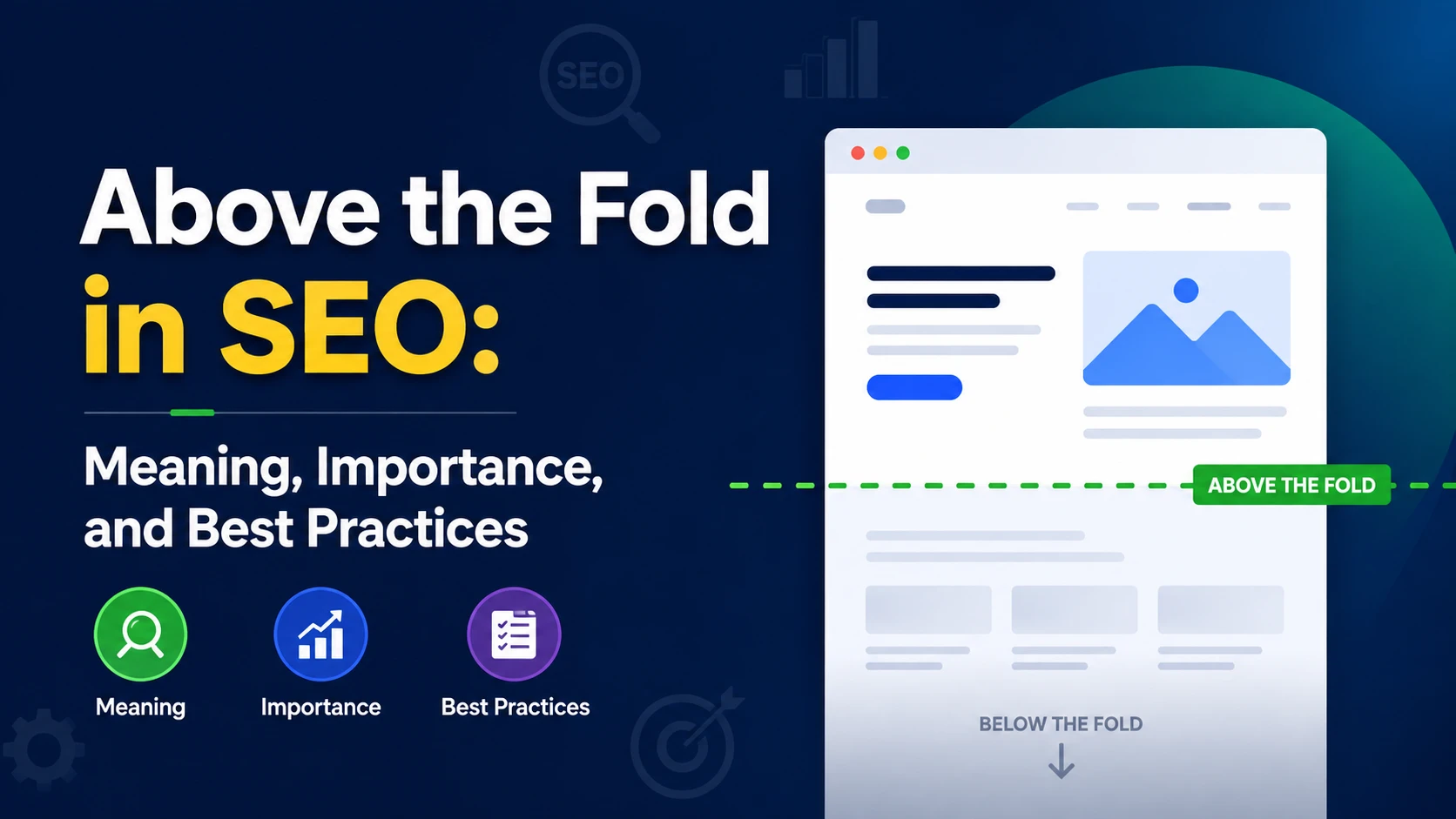
Above the Fold in SEO: Meaning, Importance, and Best Practices
If you have just started your SEO Journey, then the first thing you can do is to get familiar with SEO Vocab. “Above the fold” is one of the terms that many SEO beginners don’t know. It is the portion of a webpage that users can see immediately after the page loads, without any scrolling.
In SEO, the above-the-fold section is important because it makes the user’s first impression of your website. It should quickly communicate what the page is about, provide useful information, and encourage visitors to continue exploring the page.
What Does “Above the Fold” Mean?
Did you know? The term above the fold originally comes from newspapers? Earlier, newspapers were folded in half, so the most important headlines and stories were placed on the top half of the front page where people could see them before buying the newspaper.
The same concept is used for websites as well.
On a website, above the fold refers to the content visible on the screen without any scrolls.
There isn’t a fixed size for the above-the-fold area because it changes depending on:
- Screen size
- Desktop or mobile device
- Browser window
- Resolution
- Font size
- Website design
- Browser zoom level
For example, a desktop user may see much more content above the fold than someone using a smartphone.
Why Is Above the Fold Important for SEO?
Above the fold is important for SEO, mainly because it affects user experience and engagement, which is an indirect ranking factor by itself.
When any visitor land on your page, they should immediately know:
“What is this page about, and does it answer what I was looking for?”
If the answer is clear, users are more likely to continue reading.
A strong above-the-fold section can help with:
1. Better User Experience
Users don’t like to scroll through advertisements, huge banners, or unnecessary content just to understand what a page is about.
Your main content should be easy to identify.
2. Clear Search Intent
If someone searches for:
“How to submit an XML sitemap to Google Search Console”
and lands on your article, the page should immediately make it clear that the article covers exactly that topic.
A strong above-the-fold section could include:
- Clear H1
- Short introduction
- Relevant image or visual
- Important information
- Table of contents, if appropriate
3. Improved Engagement
A useful and relevant introduction can encourage people to read more instead of leaving the page.
However, don’t optimize the page simply to reduce a particular analytics metric. Focus on satisfying the visitor’s intent.
4. Better Content Visibility
Search engines need to understand the main purpose of a webpage. Making the primary content clear and accessible also helps users and search engines understand the page.
Above the Fold vs. Below the Fold
The difference is simple.
| Above the Fold | Below the Fold |
| Visible without scrolling | Requires scrolling |
| Creates the first impression | Contains additional information |
| Should communicate the main purpose quickly | Can provide detailed explanations |
| Important for initial user experience | Useful for comprehensive content |
| Usually contains primary information | Usually contains supporting information |
Both sections are important.
You don’t need to put everything above the fold.
Should You Put Keywords Above the Fold?
It’s a good practice to naturally communicate the main topic early on.
For example, if your target keyword is:
“Above the Fold in SEO”
your H1 could be:
Above the Fold in SEO: Meaning, Importance, and Best Practices
Your introduction can also naturally explain the term.
However, you should always avoid keyword stuffing.
You don’t need to repeat the same keyword multiple times simply because it appears above the fold. It looks very much unnatural.
Instead, make the content clear and useful.
Does Above the Fold Affect Google Rankings?
As I mentioned before, Above the fold itself is not a direct Google ranking factor.
However, the design and content of this area can indirectly influence SEO through factors related to usability and page experience. So, it is an indirect ranking factor.
For example, a page that places a huge advertisement or intrusive element at the top may make it difficult for users to access the main content.
Google has also had a Page Layout Algorithm that targeted pages where the visible portion of a page was dominated by ads rather than useful content.
The key lesson is simple:
Don’t make users work to find the information they came for.
Above the Fold and Mobile SEO
Above-the-fold optimization becomes even more important on mobile devices. Because a smartphone has a much smaller screen as compared to a desktop monitor. This means your headline, images, navigation, advertisements, and other elements can quickly consume the whole space.
For mobile pages, make sure:
- The main heading is visible
- The page topic is immediately clear
- Important content isn’t pushed too far down
- Images don’t unnecessarily dominate the screen
- Pop-ups don’t obstruct the main content
- Buttons and links are easy to use
- The page loads quickly
Quick Note: Always test your website on an actual mobile device rather than relying only on a desktop preview.
Don’t Fill the Above-the-Fold Area with Ads
One of the biggest mistakes websites make is putting too many advertisements at the top of the page and this is a bad SEO practice.
Imagine searching for:
“How to change a WordPress permalink”
You click a result and see:
- Large advertisement
- Newsletter popup
- Huge banner
- Another advertisement
- Navigation
- Cookie popup
And finally, after scrolling, you find the actual answer.
That’s a poor experience.
Advertising is important for many publishers, but it should not make the primary content hard to get.
Common Above-the-Fold SEO Mistakes
Here are some mistakes I frequently see when analyzing websites.
- Huge Hero Images
- Too Many Ads
- Unclear H1
- Long Introductions
- Intrusive Pop-ups
- Slow Loading
- Hiding Important Information
How to Optimize Above the Fold for SEO
Here is a my simple checklist you can use.
Step 1: Identify Search Intent
Step 2: Make the Topic Obvious
Step 3: Prioritize Primary Content
Step 4: Optimize Images
Step 5: Reduce Unnecessary Elements
Step 6: Check Mobile
Step 7: Improve Loading Performance
Step 8: Don’t Over-Optimize
It’s about clarity, usefulness, and user experience.
Final Thoughts
Remember! Above the fold is not about putting as much content as possible at the top of your webpage.
It’s about making the first screen useful.
When someone lands on your website, they should quickly understand what the page is about, whether it matches their search intent, and what they should do next.
For SEO, I would focus less on trying to “game” the above-the-fold area and more on creating a clean, fast, useful experience.
A simple rule to remember is:
Give users the information they came for before making them work for it.
Also Read: